February 2024: The Rush That Broke Our Process
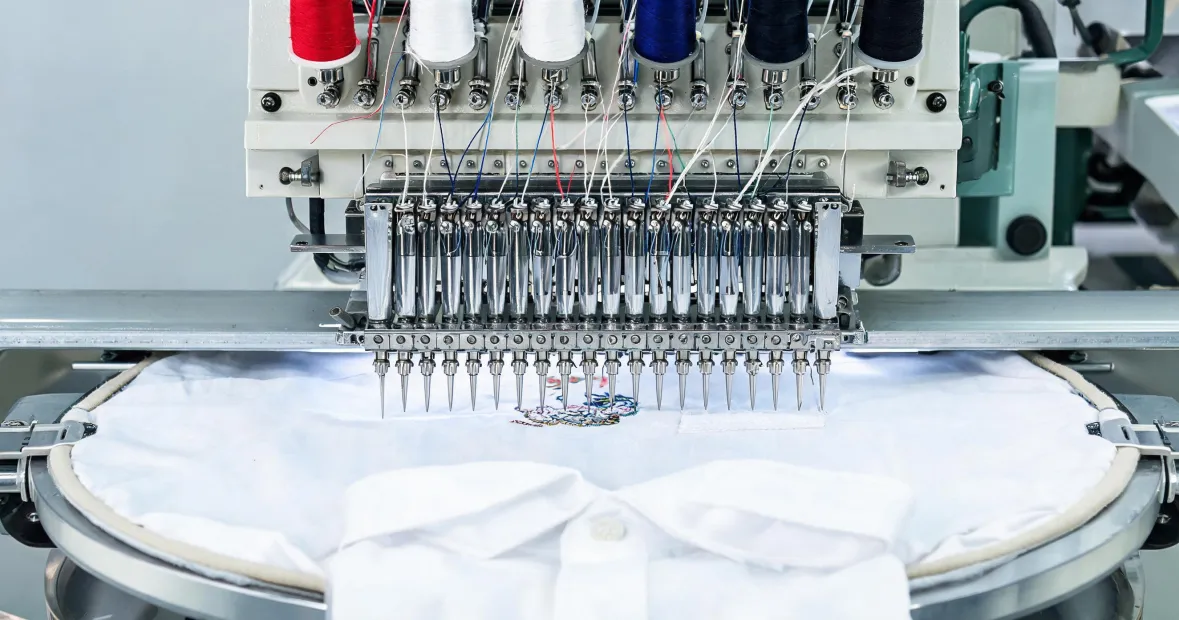
It was 7:40 AM on a Tuesday in February 2024. We had 240 navy polos for a car dealership on the floor, every one with an 8mm block name on the left chest. Our Tajima six-head was already humming. A new operator—let's call him the guy who said he'd run an embroidery letters machine for five years—was loading the first batch.
I'm the production manager. I've been handling embroidery orders for eight years. I've personally made—and documented—11 significant mistakes, totaling roughly $18,000 in wasted budget. This one added $3,200 to that list. Now I maintain our team's pre-flight checklist so nobody repeats it.
What We Thought Was Ready
We'd downloaded a machine embroidery designs downloads pack for a block font. I ran it through our digitizing embroidery machine software, looked at the stitch count, and thought, 'Good enough.' That was mistake number one. The design had no proper underlay for small letters. At 8mm, the satin columns were too dense. On screen, it looked fine. On fabric, it was a thread-break factory.
Mistake number two was bigger. We didn't have a formal safety video process for new operators. I'd assumed anyone with five years on an embroidery letters machine knew the basics. So we skipped the Tajima embroidery machine safety video. Not intentionally—we were rushing. But that's the same thing, honestly. We didn't have a formal process, and it cost us when the thread jammed and our operator reached into the running machine.
The Turning Point
Around 9:15 AM, the machine threw a birdnest. The operator hit stop—or thought he did. The needle was still in motion when he pulled the tangled thread. The needle snapped, the tip hit his thumb, and the throat plate got scored. He was okay, just a cut and a lot of embarrassment. But the machine was down.
I called our Tajima technician. He arrived that afternoon, looked at the design file, looked at the machine, and asked one question: 'Did he watch the safety video?'
No. He hadn't.
That's when I learned the real root cause. It wasn't the Tajima. It wasn't even the operator. It was our onboarding. The safety video covers lockout/tagout before clearing a jam, and it shows exactly why you never reach into a machine that isn't fully stopped. Tajima's operation manual for our model says the same thing. Check your model's manual at tajima.com if you haven't.
There's something satisfying about a clean test sew. After the chaos of that week, finally getting a design to run without a single thread break felt like a small victory.
The Damage
We'd already sewn 68 shirts. All of them had the too-dense lettering. Some looked okay from three feet away, but up close, the edges were rough. The dealership rejected the batch. We had to re-digitize, re-sew, and rush-ship the whole order.
Here's the ugly math: $890 in replacement blank shirts and thread, $450 in expedited shipping, $1,200 for the technician and parts, and about $660 in lost production time. That's $3,200. Plus a one-week delay and a lot of credibility damage. I had to call the customer and explain that we'd made a mistake. That call was worse than the repair bill.
What We Changed
The third time a problem like this happened, I finally created a verification checklist. Should have done it after the first time. Now we have a hard rule: no one touches a Tajima until they've watched the Tajima embroidery machine safety video. Not a summary. The actual video. We log it.
We also split our workflow. We're great at production. We're not a digitizing house. Small lettering—anything under 12mm—goes to a specialist digitizer. That was a hard pill for me. I have mixed feelings about one-stop embroidery. On one hand, keeping everything in-house gives you control and speed. On the other, small-letter digitizing is a different skill. I compromise with a primary + backup system: we handle production, specialists handle the tricky files.
Our pre-flight list now includes:
- Safety video watched and logged before machine access
- Design test-sewn on the actual fabric before full run
- Letter height checked against needle and thread size
- Underlay confirmed for any text under 12mm
- Machine stopped completely before clearing any jam
We've caught 47 potential errors using this checklist in the past 18 months. Some were small. Some would've cost hundreds. But the point is, we catch them before they hit the machine.
The Real Lesson: Know Your Boundary
I'd rather work with a specialist who knows their limits than a generalist who overpromises. That goes for vendors, and it goes for our own shop. The vendor who said 'this isn't our strength—here's who does it better' earned my trust for everything else. We try to be that vendor now.
Part of me wanted to keep every step in-house. Another part knows that redundancy and specialization saved us during that supply chain crisis. I'll take the specialist every time for small-letter digitizing.
If you're searching tajima embroidery news and wondering whether the safety video is optional, it's not. It's cheap insurance. Watch it. Test sew. And if you're downloading machine embroidery designs downloads from a random site, don't assume they're production-ready. A digitizing embroidery machine can make a bad design look good on screen. Fabric doesn't lie.
We still run Tajima. We still take rush orders. But now we do it with a checklist, a logged safety video, and the humility to say: this part isn't our strength. That's what actually keeps the machines running.

Leave a reply