-
Scenario A: Long runs and heat — the Tajima cooling system case
-
Scenario B: Quick changeovers — the Tajima 15 needle embroidery machine and design library case
-
Scenario C: Patch production — blank patches for embroidery machine setups
-
Scenario D: 'Keeping up with technology' — the embroidery machine innovation trap
-
How to tell which scenario you're in
There isn't one honest answer to the question 'Which Tajima upgrade should I buy?' It depends on the bottleneck you're hitting — and most shops, including mine, have a bad habit of blaming the machine before they measure the real cause.
I've been managing embroidery production for eight years. I've personally made and documented 14 significant equipment mistakes, totaling roughly $60,000 in wasted budget. That's why I now maintain a pre-purchase checklist for our team. This article is the scenario breakdown I use when someone says 'We need a new Tajima.'
I'll make it simple. You're in one of four situations:
- You run long flatbed jobs and thread breaks are killing your uptime.
- You switch designs and colors constantly, so setup time is the enemy.
- You're getting more patch orders and you're not sure whether to use blank patches or buy a new head.
- You feel like your equipment is outdated and want to stay ahead on technology.
Each situation points to a different answer. Let's walk through them.
Scenario A: Long runs and heat — the Tajima cooling system case
In January 2022, we had a 4,200-piece order for a dense logo. The machine would run for 40 minutes, then the needle would start breaking thread. I told everyone we needed more needles. My logic? More needles gives us more color capacity, so we can move work around.
What I mean is, I was wrong. The bottleneck wasn't needle count. It was heat. At high speeds, friction in the needle and rotary hook area heats the thread, weakens it, and causes breaks. A Tajima cooling system addresses that directly.
According to Tajima's product documentation (tajima.com, accessed January 2025), the cooling system is an integrated feature on several multi-needle models. It's not just a fan pointing at the needle. It's airflow around the needle, the rotary hook, and the thread path, designed for sustained high-speed operation.
If your stitch counts are high (say, 20,000+ stitches per design) and you run extended shifts, a machine with a robust cooling system is worth more than an extra needle. After we moved that job to a machine with the cooling upgrade, our thread breaks dropped by about 70% on the same style of work. (Should mention: we also switched to a higher-grade thread, so it wasn't purely the machine.)
The counterintuitive part: most buyers ask 'How many needles?' before they ask 'Does it overheat?' For long runs, the second question is often the one that pays. If your stop log shows breaks after 30-plus minutes of continuous running, look at cooling before you look at needle count. That's where the money goes.
Scenario B: Quick changeovers — the Tajima 15 needle embroidery machine and design library case
The opposite scenario: you're doing 10 to 20 small orders per day, each with different colors. Your biggest cost is setup. Operators spend 15 minutes rethreading, another 10 loading files, and then the order is done before the machine is warm.
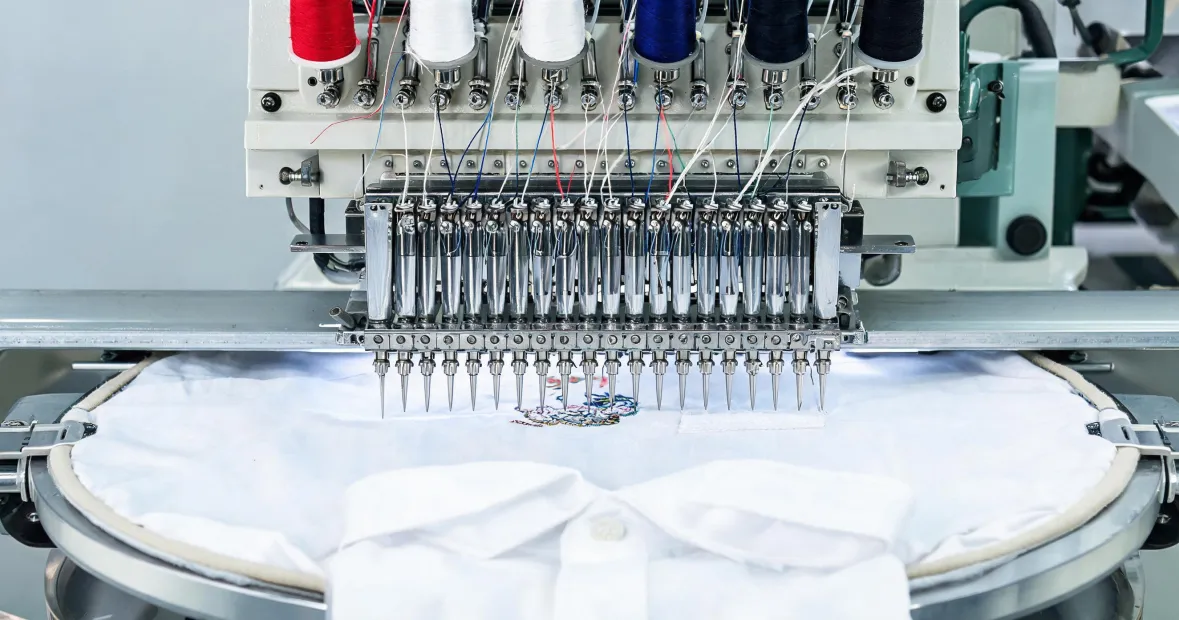
That's where a Tajima 15 needle embroidery machine earns its keep. More needles means you set up 10–14 colors once and leave them. And if the machine has a good on-board design library — or connects to Tajima's Pulse software — operators can pull designs from the machine itself instead of hunting through a USB stick.
What most people mean by a 'library embroidery machine' is a model with a large on-board design memory and search functions. That's useful, but only if you also have a file structure that doesn't rely on 'FINAL_v2'. We bought a machine with a big library in 2020, and for three months our operators still scrolled through folders named 'FINAL_v2', 'FINAL_v3_USE_THIS'. The library was just a bigger attic for the same mess.
What we eventually did was create a naming convention: customer_code + order_date + colorway. That saved as much time as the new machine. So if you're in this scenario, buy the 15 needle Tajima if the math works, but do the file cleanup first. Otherwise you'll be paying for a library no one can browse.
Scenario C: Patch production — blank patches for embroidery machine setups
Blank patches for embroidery machine setups are not glamorous. But they've saved us more money than any machine feature we've added in the last two years.
If you're making custom patches for workwear, uniforms, or merch, using pre-fabricated blank patches — twill with a merrowed border, usually — can speed up production and reduce hooping stress. They load like a regular design, but you don't have to hoop the whole garment, and the edge is already finished. Less handling, less distortion, fewer short-stitch headaches.
In 2019, I bought a dedicated chenille machine before we had a reliable patch pipeline. I was excited. The machine sat unused for eight months, and we kept falling back on blank patches and a standard multi-needle Tajima with an acrylic patch holder. The lesson: add the blank patch workflow before you add the hardware.
If you're matching corporate colors on patches, don't trust a screen. We use Pantone references for thread selection. Pantone's Color Matching System guidelines put brand-critical color tolerance at Delta E < 2; above that, trained observers notice the difference. That's a different check than the machine, but it's part of the same lesson: the boring check is the one that saves you.
A quick test: order 500 blank patches with a merrowed border. Run your current machine at a moderate speed with a sharp needle and a polyester thread. Time the cycle. If you can turn around a 100-piece order in a day, you don't need a new machine. You need a better inventory of blank patches.
Scenario D: 'Keeping up with technology' — the embroidery machine innovation trap
The fourth scenario is the one I've personally wasted the most money on. You read about embroidery machine innovation — new touchscreens, remote monitoring, IoT, faster heads — and you start to feel like your current Tajima is old. So you justify an upgrade.
In 2021, I pushed to buy a higher-end machine with all the extras because I thought it would make our shop look modern. The machine was excellent. The problem was that our digitizing quality and training were still behind. We got the fancy interface and the same production numbers. It took me two quarters to admit that the only thing we innovated was the monthly payment.
My rule now: every 'innovative' feature has to answer one question — 'What does this reduce: thread breaks, setup time, errors, or rework?' If you can't put a number next to the answer, it's a toy.
And that's where prevention-over-cure applies. Fifteen minutes of logging actual machine stops gives you more truth than any brochure. We now do a 20-minute daily stop-log review on each machine. Before we consider any upgrade, we have a week of data. It has saved us from at least two impulse purchases.
How to tell which scenario you're in
If you're not sure, start with a stop log. Not at the end of the week — during the week. Every time a machine stops, write down why: thread break, needle break, color change, design loading, waiting for operator, hooping, or maintenance.
After five production days, look at the biggest category. That's your bottleneck.
- If thread breaks happen after 30-plus minutes of continuous running, look at the cooling system before you consider more needles.
- If color changes and file loading dominate, a Tajima 15 needle embroidery machine with a larger design library is your best candidate.
- If patch orders are growing and your current machine can handle the design, test blank patches and a better hooping workflow before you buy anything.
- If you can't find a dominant bottleneck, you don't have a machine problem. You have an operator-training, digitizing, or scheduling problem.
I created this checklist after my third equipment mistake in 2020. Since then, we've caught 47 potential errors before they reached production, and the first item on the checklist never changes: write down the problem you're trying to solve.
Five minutes of verification beats five days of correction. I didn't invent that rule; I earned it. And it's cheaper than a new Tajima.

Leave a reply