-
There Is No "Best Embroidery Machine" — Only a Best Fit
- Scene 1: One Person, Part-Time, Under 50 Pieces a Month
- Scene 2: 1–2 Operators, Steady Commercial Work, 50–500 Pieces a Month
-
Scene 3: Multi-Shift Production, 500+ Pieces, Contract Work
-
Scene 4: Specialty Work — Caps, Chenille, Oversized Hooping
-
How to Figure Out Which Scene You're In
There Is No "Best Embroidery Machine" — Only a Best Fit
I'm the procurement manager at a 40-person apparel decoration company. I've owned our equipment budget (roughly $120,000 a year, covering machines, spare parts, and service contracts) for nine years, negotiated with 9+ dealers, and logged every order in our asset tracking system. I've also made two mistakes that cost us real money — I'll get to both.
Here's what I tell people before they send me a quote request: you can't answer "which embroidery machine should I buy" without first knowing which of four situations you're in.
- Scene 1: One person, part-time, under ~50 pieces a month
- Scene 2: 1–2 operators, steady commercial work, 50–500 pieces a month
- Scene 3: Multi-shift production, 500+ pieces, contract work
- Scene 4: Specialty work — chenille, caps, oversized hooping
Pick the wrong scene and you'll either overpay for capacity you'll never touch, or under-buy and start turning down orders within six months. I've watched both happen, at our shop and at customers' shops.
Scene 1: One Person, Part-Time, Under 50 Pieces a Month
This is the only scene where I'd actually push you toward a home-tier sewing and embroidery combo machine. Not a commercial single-head. A consumer machine.
People search for the "best sewing embroidery combo machine" constantly, and honestly most of them need to hear something simpler: if you're running personalized orders out of a spare room, a Brother SE2000-class machine is genuinely enough. The embroidery field is around 4x4 inches, it ships with a couple hundred built-in designs, and because it's also a sewing machine you can take on patches, labels, and one-off alterations without buying a second unit.
Your bottleneck won't be speed. It'll be design time and rehooping. 4x4 inches gets you roughly a 10 cm-wide design — if a customer wants a 12-inch back logo, the machine physically can't do it. That's not a "slower" problem, it's a "no" problem.
I know the common advice is "buy commercial from day one so you don't outgrow it." That advice is right if you already have orders booked. It's a bad call if you're still testing whether the business works at all.
On the "watt sewing machine" confusion
Quick aside, because I see this search term a lot and it wastes people's time: if you're looking for a "watt sewing machine," you're probably chasing either a wattage spec (boring, and almost irrelevant at this scale) or a brand name that autocorrect ate. Neither one should be deciding your purchase. For a single operator, what the machine draws from the wall doesn't move your unit cost — design time does.
Scene 2: 1–2 Operators, Steady Commercial Work, 50–500 Pieces a Month
This is the real dividing line. At this volume you're not buying a machine, you're buying uptime.
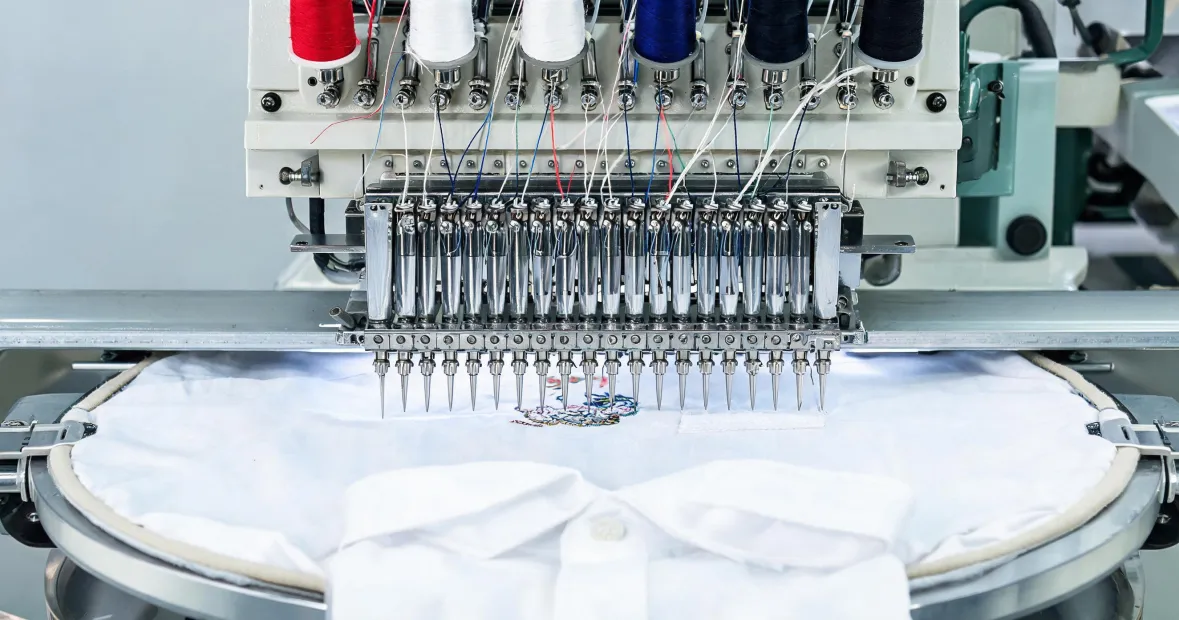
You're looking at a commercial single-head or a two-head. Machines at the Tajima tier are built for exactly this, and the selection criteria that matter are the sewing field and changeover time — not raw stitch speed, which is fairly close across comparable models anyway.
The hidden variable nobody flags: hoop compatibility
I'm pulling this out on its own because it burned us.
Back in 2022, I was going back and forth with a dealer on quotes. They kept describing "standard hoops." I heard "standard sizes" — the same sizes our old machine used. They meant a different mounting standard entirely. Hoop mounting runs off the arm width and the machine-specific bracket, and those don't cross over as cleanly as the sales sheet suggests.
When the machine arrived, most of our existing hoops wouldn't fit the new arms. Replacing them cost us $1,900 and roughly three weeks of declined cap orders.
So when you're comparing embroidery hoops for Tajima machines specifically, don't just compare diameters. Ask how they mount — magnetic frames and screw-clamp frames have different compatibility ranges — and ask whether your current hoops will carry over. Put the hoop list in the purchase order. Don't let it live in a phone call.
For budget planning: based on publicly listed dealer pricing in Q4 2024, a new commercial single-head lands somewhere around $12,000–$22,000 depending on field size, cap capability, and whether color change is automatic. Used single-heads run $5,000–$12,000, but you have to fold in freight, installation, and whatever safety features are missing.
Where safety videos stop being optional
This was my second mistake.
I wanted to skip the operator safety walkthrough. This was 2023. The machine arrived, we had an experienced operator, and I figured — what are the odds? She'd done similar work for five years. The odds caught up with us when an operator reached into the sewing field to clear a thread break before the machine fully stopped. Minor laceration, four hours of downtime, and a workers' comp conversation nobody wanted to have.
The Tajima embroidery safety videos are about 40 minutes total and they were sitting right there — the dealer offered the walkthrough and I treated it as overhead. Running the math afterward: 30 minutes saved, versus about $2,400 in lost production plus the paperwork plus an operator who was rattled for two weeks. That is a terrible trade.
What makes those videos worth the time is that they're specific to embroidery hazards — moving arms, the needle zone, thread stand counterweights, e-stop locations — not generic shop-floor safety content. We now run them on day one for every new operator and again after any firmware or mechanical interface change. It's in the SOP. I don't debate it anymore.
Scene 3: Multi-Shift Production, 500+ Pieces, Contract Work
At this point you're procuring a production schedule, not a machine. The numbers to work with are cost per head, operators per machine, and realistic per-head output — which depends on actual downtime, not the spec sheet.
Multi-heads generally run 4 to 8 heads, with some configurations above 12. As a rough planning figure from listed pricing, expect $4,000–$8,000 per head, so a 6-head in the $35,000–$60,000 range. In our own tracking, real throughput lands closer to 800–1,200 stitches per minute per head, and a badly digitized file can cut that roughly in half.
The mistake I see here is buying the right machine and skimping on the ecosystem around it. Thread stands, cooling systems, and trimmers look optional on the quote. They aren't. We ran a two-head without proper cooling through one August and paid for it in thermal shutdowns.
And this is where total cost of ownership thinking earns its keep. The lowest quoted price is almost never the lowest total cost — freight, install, training time, spare-part lead times, and downtime all land on the same line in your books whether the dealer mentioned them or not.
Scene 4: Specialty Work — Caps, Chenille, Oversized Hooping
If caps, chenille, or large-format hooping is your core business rather than an occasional favor, a general-purpose machine is the wrong tool and you shouldn't try to make it work.
Cap embroidery runs a smaller field, relies on completely different arm geometry, and usually needs a dedicated cap frame set. Chenille requires a specialized thread delivery mechanism — it's not a setting you toggle. Both of those change which machine makes sense more than any speed comparison will.
Budget accordingly: frames, cap sets, and arm adapters can add $2,000–$6,000 per machine before you've embroidered a single piece.
How to Figure Out Which Scene You're In
Rather than guess, answer three questions honestly.
- How many pieces do you actually stitch per month? Under 50, Scene 1. 50–500, Scene 2. Over 500, or you have contract volume already signed, Scene 3.
- Is one person running it, or is it running shifts? A machine that's on less than four hours a day is Scene 1 or 2. More than six hours, Scene 3.
- Are your orders custom or repeat? If everything is custom, a single-head covers you. If more than half your volume is reorders, a multi-head probably pays for itself inside 18–24 months.
One last thing, for the people whose work is split — big batch runs during the day, one-off customs at night. Don't try to buy one machine that does both well. We tried that in Q1 2024 and it went about how you'd expect. A combo machine becomes a bottleneck on the commercial side, and a multi-head is a money-loser on the custom side. Two purpose-built units usually beat one compromise unit, even though the sticker price says otherwise.
Price references above come from publicly listed dealer and marketplace pricing as of Q4 2024. Actual pricing varies by region, configuration, exchange rate, and promotions. Verify current numbers before you commit — I do, every single time.

Leave a reply